| < Previous page | Next page > |
If your webcam is up and running then when you enter iKITMovie's main screen you should see a live view
of the image in front of you webcam.
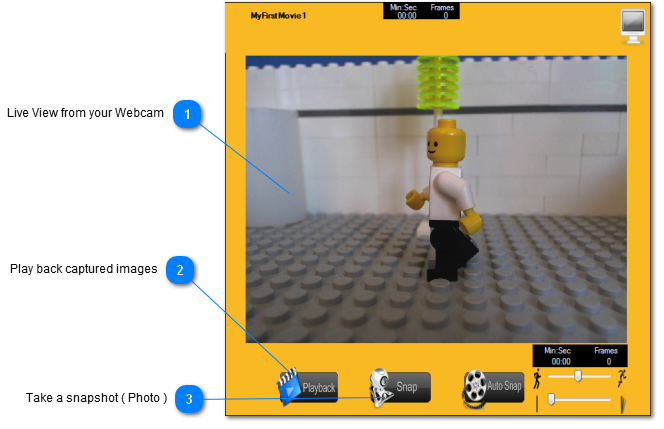  Live View from your WebcamThe quality of the image you see in live view screen will depend on two factors. Firstly thequality of your webcam and secondly the amount of light surrounding your scene. CheckWebcam recommendations and lighting section for advice on this topic. Play back captured images You choose this button to move from capturing images over to "playback" mode to view what You choose this button to move from capturing images over to "playback" mode to view what
you have captured with your camera.
 Take a snapshot ( Photo ) You click on this button to take a photo or snapshot as we prefer to say of the image in front of your You click on this button to take a photo or snapshot as we prefer to say of the image in front of your
camera.
|